
Tools
MA Downloader — Free YouTube Playlist & Audio Downloader
Download video or audio from YouTube for free on Windows — with full support for downloading an entire playlist in one go, multiple qualities, and a clean Arabic/English interface.
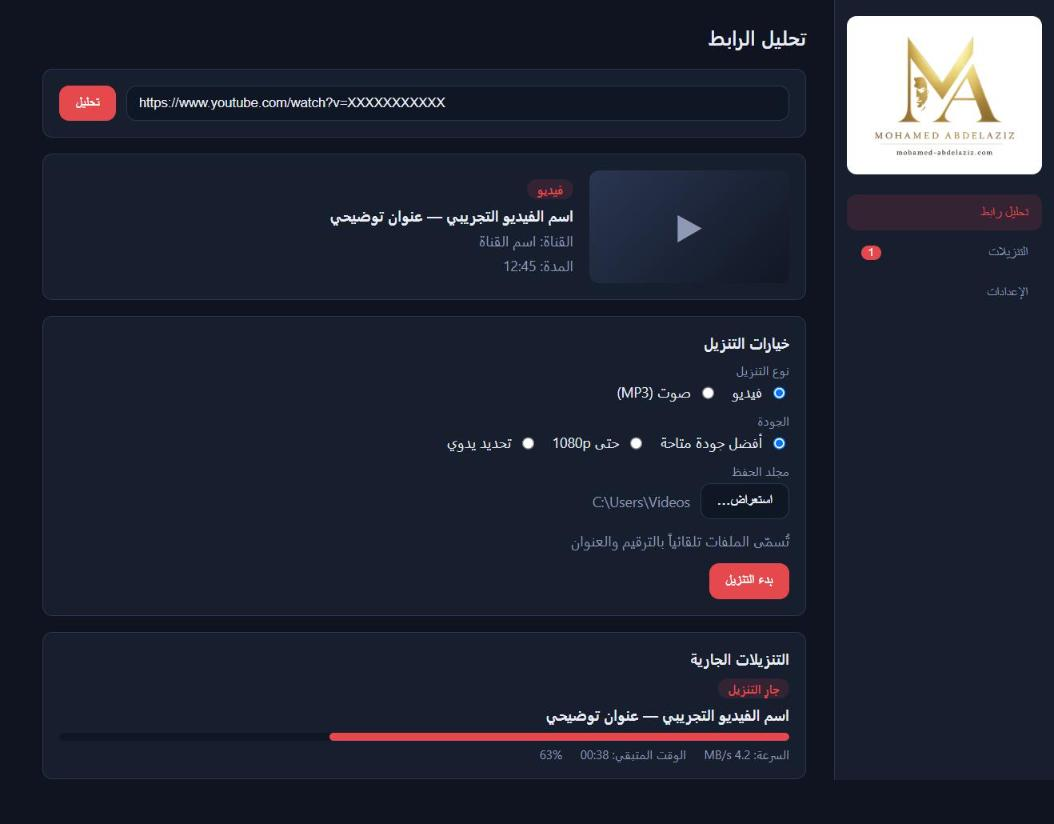
MA Downloader features
Full playlist download
Download an entire YouTube playlist in one go — every video, or a custom range you choose (first N items, or manual selection).
Multiple qualities
Choose the video quality you want, or extract audio-only in high quality.
Full download control
Pause, resume, or cancel any download at any moment.
Live progress tracking
Progress percentage, speed, and time remaining shown clearly during download.
Arabic / English UI
Full RTL support for Arabic, as well as English.
Download history
Review all past downloads easily.
Privacy & security
Runs entirely locally on your device — no personal data is collected.
How it works
- 1
Install the app
Download the installer and run it — a few clicks to install.
- 2
Paste the link
Copy the YouTube video link and paste it into the app.
- 3
Choose quality & download
Select the quality you want (video or audio) and click Start Download.
Frequently asked questions
Disclaimer
- You are solely responsible for any content you download and for complying with platform terms of use (including YouTube's Terms of Service) and the copyright and intellectual-property laws applicable in your country.
- The app may not be used to download or redistribute copyrighted content without explicit permission from the rights holder, or for any unauthorized commercial purpose.
- The app is provided "as is" without warranties of any kind, and the developer bears no legal responsibility for misuse or any resulting damages.
- This application is not affiliated with YouTube or Google in any way.
Discover how different charting types — from Time and Tick to Volume Profile and Footprint — change your market perspective and execution.
An ICT killzones indicator for MetaTrader 5, NinjaTrader 8 and ATAS with session pivots and a Session Volume Profile with POC, VAH and VAL.
A free MetaTrader 5 trade panel: risk-based lot size, news guard, prop firm rules, trailing stop and partial take profit.